PDFDatasheet
CurrentStorEasy WORM Appliance Enterprise Datasheet
Enterprise WORM appliance for immutable retention. Verify capacities and retention enforcement for the target deployment.
- Vendor:
- StorEasy (INCOM)
- Date:
- Jun 2026
- Format:
- Size:
- 3.9 MB
Enforcement in its own box
INCOM StorEasy appliances take files over SMB, NFS or S3, attach a retention term at write time, and refuse removal until that term runs out. Each refusal is logged.
Aban Smart designs, supplies, integrates and supports INCOM StorEasy WORM appliances, including the archive storage sold under the HIT brand, which is the same manufacturer.
Buy a WORM appliance and what arrives is a box that says no. Files written to it stay readable, copyable and searchable, but a delete request comes back refused until a clock the appliance owns has run down. That refusal is the product. The disk cache, the optical drives and the network ports all exist to make the refusal survivable and to make the record of it readable months later. So the evaluation question is narrow: where does the enforcement boundary sit, who is on the other side of it, and what does the system produce as proof that it held?
The retention clock starts at write. Deletion is refused until it expires.
The ingest path is deliberately ordinary. The appliance presents shares over SMB and NFS, and current StorEasy Enterprise documentation also lists S3, so applications write to it the way they write to any NAS or object endpoint. No agent sits on the application server.
What differs happens after the write completes. The appliance applies the retention attribute defined for that volume or bucket, moves the file into its managed state, and from that point treats modification and deletion requests as policy violations rather than operations. StorEasy sheets describe file-level MD5 checksums taken during this process, which is useful for spotting media degradation and accidental corruption, though it is not cryptographic proof against a determined attacker.
Committed data is then written through to Blu-ray BD-XL trueWORM media, where the recording layer itself is write-once. The manufacturer describes a four-copy pattern spread over two technologies with two copies held offline, but the second optical drive is listed as an option, so how many of those copies exist depends on the configuration purchased rather than on the product name.
At expiry the appliance stops refusing. What happens next should be a decision, not a default: release for review, export, or disposal under an approval step. Optical media already written stays written, so expiry on that tier means the record becomes eligible for disposal by media destruction rather than by an API call.
Three behaviours define the lock, and each one is worth confirming during commissioning rather than assuming from a brochure.
The clock starts at the write. Not when the volume was configured, not when someone remembered to classify the folder. A file that lands at 14:02 on a Tuesday carries its term from that instant, which is why the application doing the writing has to know which volume corresponds to which retention class.
A policy change does not reach backwards. If a term is shortened next quarter, files already under the old term keep it. This is the property that makes the control worth anything, because a lock an administrator can loosen retroactively is a preference with extra steps. It also means an error written at scale is durable, so a validation volume with a short term costs almost nothing and prevents a long problem.
Then the log. Every accepted write, every declined deletion or overwrite, every expiry event and every administrative change lands in an append-only record. Records teams tend to under-value this until their first assessment, at which point it becomes the only thing being discussed. A screenshot of a policy shows the present. A log showing that seventeen deletion attempts were declined over four years shows the control working, which is a different and far more useful claim. Keep that log under retention too, because an audit trail on a tier anyone can edit is a weak point an assessor will find. The evidence side of this is covered further under regulatory data retention.
Both are legitimate. They fail differently, which is the whole point of choosing between them.
| Appliance WORM | S3 Object Lock, governance mode | S3 Object Lock, compliance mode | |
|---|---|---|---|
| Where enforcement lives | A separate physical system with its own administration and, at the optical tier, physics | The storage platform's own policy engine | The storage platform's own policy engine |
| Override path | Requires compromising or physically reaching the appliance; discs already burnt have no rewrite operation to invoke | Any principal holding the bypass permission can shorten or lift the lock | No documented route to shorten or remove the lock before expiry, root account included |
| Audit evidence | Appliance-held log of writes, refusals, expiries and admin actions, outside the application's control | Platform trail, administered by the same team that can bypass it | Platform trail, strong, but tied to one platform |
| Typical failure mode | Capacity fills and cannot be reclaimed early; appliance becomes an operational dependency | A convincing request, or a stolen credential, quietly removes the protection | An error written at scale is unfixable for the full term |
| Suits | Records with a long life and an auditor at the end of it | Guard rails against scripts and mistakes | Backup repositories that must survive credential theft |
The separation matters more than the mechanism. Object Lock places the boundary inside the same platform, under the same identity system, managed by the same people who administer the data. An appliance puts a second organisation of controls between the application and permanence. That is harder to defeat by accident, and harder to defeat by argument. The wider comparison, including offline media, sits on immutable and WORM storage.
Compliance mode deserves respect rather than avoidance. It is genuinely strict, and strictness is unforgiving of a bad classification decision made once at three in the morning by an automation script.
Capacity figures differ between StorEasy documents, so the honest description is by role. Configured capacity comes from the sizing conversation, not from this page.
INCOM also supplies larger optical libraries under the HIT brand, which are referenced in the StorEasy comparison tables. Same supplier, different scale point. See partners for how the three manufacturers we work with fit together.
Two placements cover most deployments.
Behind an application, the appliance is a share or bucket that a PACS, an ECM platform or a records system writes to as its archive target. The application keeps its index and its user experience. The appliance supplies the boundary. The critical detail is that the retention class has to be expressed as a choice of destination, because the appliance applies the policy of the volume, not the intent of the application.
Behind archive software, the appliance is one tier among several. Policy engines decide what gets promoted to the WORM tier and when, which is useful when only a subset of a large file estate needs locking. Other options are set out on the technologies overview.
It protects what reaches it. Files that were never routed to a WORM volume are exactly as deletable as they were before the purchase order. Most disappointing outcomes are a routing problem, not a product problem.
It does not decide the retention term. If the classification says three years and the obligation is ten, the appliance will enforce three years faithfully. It also will not tell you the difference. Retention periods, and their legal interpretation, stay with your records and legal teams.
It changes how capacity behaves. Locked data cannot be trimmed when a volume gets tight, so the archive grows to the full product of ingest rate and retention term before anything becomes eligible for removal. Sizing has to plan for that floor, plus headroom, plus whatever the classification exercise is likely to reclassify upward.
And it is not a backup system. It receives copies well. Recovery objectives, application consistency and restore testing remain separate work with their own failure modes.
To get a configuration priced against an actual ingest rate and retention schedule, request configuration and pricing.
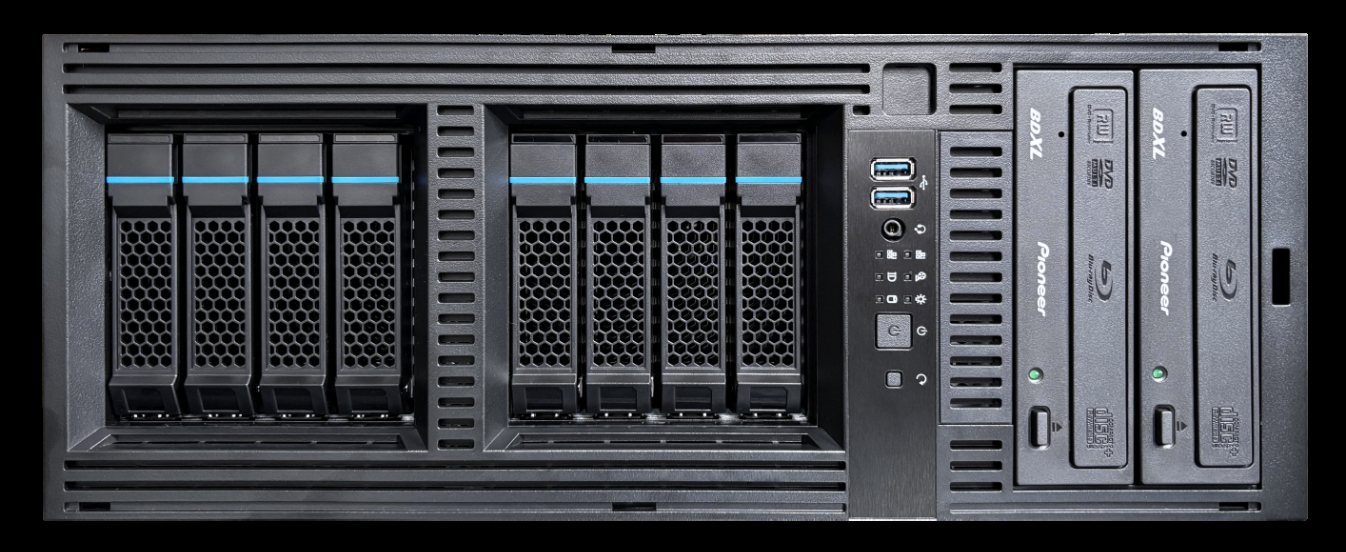
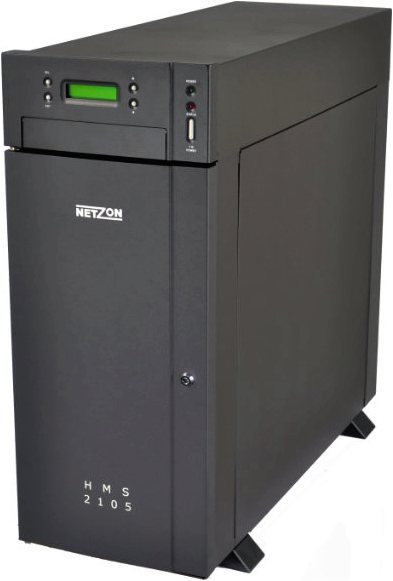
Manufacturer documentation relevant to this page. Availability, specifications, and configurations are subject to verification.
Enterprise WORM appliance for immutable retention. Verify capacities and retention enforcement for the target deployment.
Enterprise WORM appliance with S3-compatible object access.
WORM appliance edition oriented to medical imaging retention. Compliance depends on configuration and applicable regulation.
Enterprise WORM appliance datasheet (manufacturer 'KI' series). Confirm any AI-related capabilities directly; the source does not independently substantiate AI feature claims.
Desktop WORM appliance for smaller immutable-retention needs.
Not for the files already under the existing term. That is intentional. A lock that can be relaxed after the fact provides very little assurance, and an assessor will treat it accordingly. Policy changes apply to new writes. This is why we recommend testing each retention class on a short-term validation volume before production ingest begins, and capturing the refusal behaviour as part of handover.
Share the workload, capacity, retention, access, and resilience requirements. Aban Smart will identify the next discovery inputs and the appropriate engagement path.